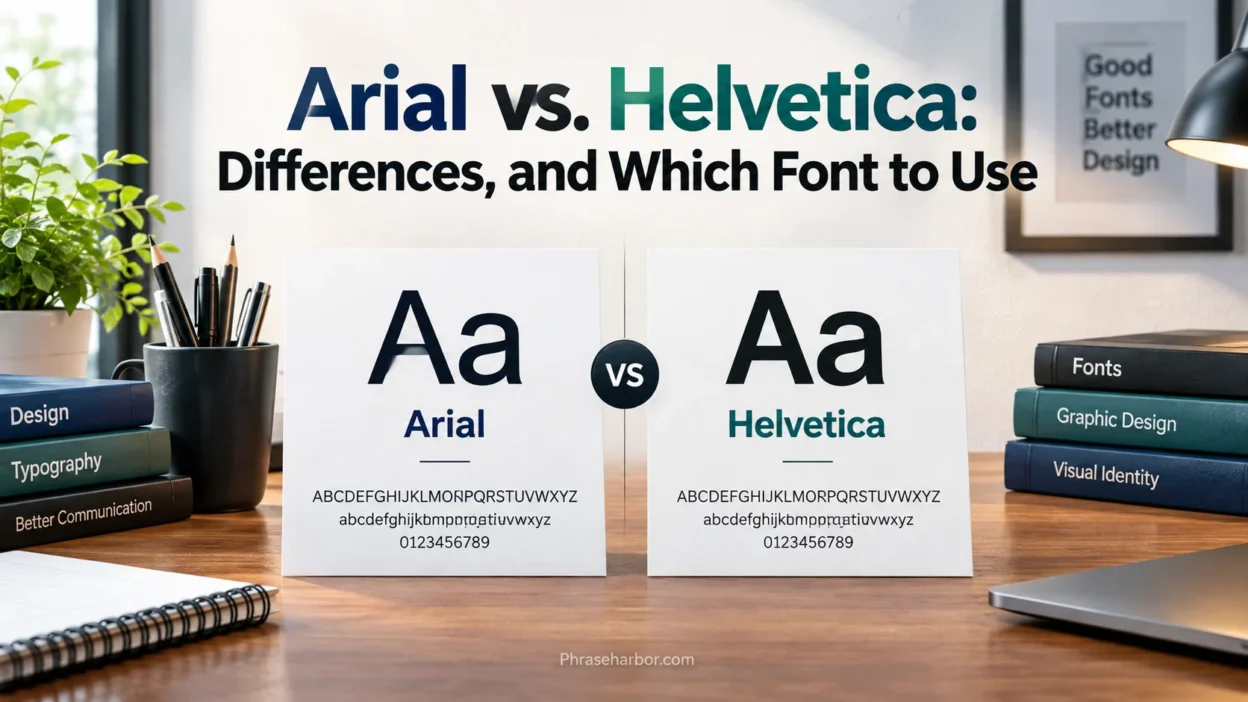
Arial vs. Helvetica is a common comparison among graphic designers, web developers, writers, and businesses choosing a clean, professional typeface. At first glance, these two sans-serif fonts look almost identical. Both have simple letterforms, a modern appearance, and a long history in digital and print design. However, look a little closer and you’ll notice differences in their shapes, spacing, proportions, and overall character.
The choice between Arial and Helvetica depends on what you’re creating. Arial works well for everyday documents, presentations, and digital communication because it’s widely available. Helvetica, meanwhile, has a long association with modernist graphic design, corporate branding, signage, and advertising.
Neither font wins in every situation. A font that works beautifully in a logo might not be the best option for a long report or a website that needs to work across different devices. Understanding their differences will help you make a more confident choice.
Quick Answer
Arial and Helvetica are similar sans-serif fonts, but they aren’t identical. Helvetica was introduced in 1957, while Arial arrived in 1982. Arial was designed to be metrically compatible with Helvetica, which means text set in the two fonts can occupy similar amounts of space even though their letterforms differ.
Choose Arial when you need a practical, widely available font for documents, presentations, spreadsheets, and everyday digital communication. Choose Helvetica when its particular letterforms suit your design, especially in branding, posters, signage, and editorial layouts.
Here’s the difference at a glance:
- Arial: A practical, familiar typeface widely used in office software and digital documents.
- Helvetica: A classic typeface closely associated with Swiss graphic design and modern visual identities.
- Readability: Both can work well, depending on font size, spacing, contrast, and the viewing environment.
- Compatibility: Arial is often the more convenient choice for sharing office documents across different computers.
- Design: Helvetica has its own distinctive proportions and letterforms, which many designers prefer for specific visual projects.
Comparison Overview
Arial and Helvetica share a similar purpose: they provide clear, straightforward lettering without the decorative strokes found in serif typefaces. Their visual similarities make them easy to confuse, especially when you read ordinary paragraphs rather than examine individual letters.
However, their histories and design details differ. Helvetica emerged during the rise of modernist Swiss typography, while Arial entered the market during the expansion of digital typesetting and personal computing.
| Feature | Arial | Helvetica |
| Type classification | Sans-serif | Sans-serif |
| Release year | 1982 | 1957 |
| Designer or design team | Robin Nicholas and Patricia Saunders | Max Miedinger, with input from Eduard Hoffmann |
| Original design background | Monotype’s type design tradition | Neue Haas Grotesk, developed in Switzerland |
| Main design relationship | Created with metrics compatible with Helvetica | An independent typeface with its own design history |
| General appearance | Familiar, neutral, and practical | Clean, compact, and strongly associated with modernist design |
| Letterform differences | Distinctive shapes, including its lowercase letters and capital forms | Different proportions, curves, and details in several glyphs |
| Office document use | Widely used | Depends on font installation and software |
| Branding and graphic design | Suitable for many practical applications | Frequently chosen for logos, posters, and visual identities |
| Cross-platform use | Commonly available, but not guaranteed everywhere | Availability varies by platform and font package |
| Best selection method | Choose for convenience and compatibility | Choose when its particular design suits the project |
The comparison isn’t simply about which font looks better. Availability, licensing, layout requirements, and the intended audience also influence the decision.
Main Differences Between Arial vs. Helvetica
The biggest differences between Arial and Helvetica appear in their letterforms, spacing, proportions, and design character. They may look nearly identical from a distance, but those details become more noticeable when you compare them side by side.
Letter Shapes and Glyph Design
The most useful way to compare Arial and Helvetica is to examine individual letters rather than judge an entire paragraph at once.
Look closely at the lowercase a, lowercase g, capital G, capital R, and lowercase t. Their shapes, proportions, and finishing strokes reveal differences that ordinary reading can hide.
For example, the lowercase a in both fonts has a double-story structure, meaning it contains two enclosed levels. However, its proportions and surrounding shapes differ. The lowercase g also provides a useful comparison because the details of its bowl, ear, and lower portion contribute to each typeface’s visual identity.
Other letters reveal differences in their curves and joins. These details may seem minor, yet they affect how a word looks when displayed in a headline, logo, or large block of text.
Consider the word GRAPHIC. In a large heading, you’ll have more opportunity to notice the width of the letters, the shape of the capital G, and the diagonal strokes of the R. In a small paragraph, those differences become less obvious.
Neither design is inherently correct or incorrect. Each has its own visual logic, and the better choice depends on the effect you want.
Spacing, Width, and Layout
Spacing is one of the most important reasons Arial and Helvetica can substitute for each other in some situations.
Arial was designed with character widths compatible with Helvetica’s metrics. This makes it easier to replace one with the other without dramatically changing the overall layout. However, metric compatibility doesn’t mean that every word, line, or paragraph will match perfectly.
Several factors affect the final result:
- Character width: Individual letters occupy different amounts of horizontal space depending on the font.
- Kerning: Selected letter pairs receive spacing adjustments to improve their visual balance.
- Tracking: Designers can increase or decrease spacing across a sequence of characters.
- Line breaks: A small change in text width can push a word onto the next line.
- Paragraph length: Differences across many lines can change the appearance and length of a page.
- Font weight: Bold and heavier versions can alter the visual density of a heading or paragraph.
Imagine that you’ve created a two-page business report using Helvetica. When someone opens it on a computer without the required Helvetica font, the application may substitute Arial or another available typeface. The report might retain a similar structure, but headings could wrap differently and page breaks might shift.
For that reason, test font substitutions before distributing a document that must preserve an exact layout.
Read More: Preterite vs. Imperfect: Meaning, Differences, and Examples
Readability and Legibility
People often ask whether Arial or Helvetica is easier to read. The answer depends on how the font is used.
Readability describes how comfortably someone can read and understand a passage of text. Legibility focuses more narrowly on how easily readers can distinguish individual letters and characters.
Both fonts can perform well in ordinary text. However, the surrounding conditions matter just as much as the typeface itself.
Consider these factors:
- Font size: Small text places greater demands on letter recognition.
- Line spacing: Crowded lines make it harder to follow a paragraph.
- Contrast: Text needs sufficient contrast against its background.
- Line length: Extremely long lines can make it difficult to find the next line.
- Display quality: Screen resolution and rendering can affect how letterforms appear.
- Font weight: Very thin or excessively heavy text can become harder to read in certain settings.
For example, Arial at a comfortable size with generous line spacing may be easier to read than Helvetica in a cramped layout with poor contrast. The reverse can also be true.
Avoid assuming that one font is universally more readable. Test the actual font, size, and layout with the audience and devices you expect to serve.
Appearance and Design Personality
Although Arial and Helvetica belong to the same broad type category, designers may use them for different visual purposes.
Helvetica is closely associated with Swiss graphic design, a movement known for clean layouts, strong grids, clear hierarchy, and restrained visual elements. Its history has helped make it a familiar choice in corporate identities, public signage, advertising, and editorial work.
Arial has a more practical reputation because of its widespread presence in digital documents and office software. That doesn’t make it an inferior design font. It simply reflects how frequently people encounter it in everyday computing.
The visual personality of either font also depends on its weight, size, spacing, and surroundings.
A light Helvetica headline with generous spacing can feel elegant and restrained. A bold Arial headline can feel direct, solid, and energetic. Change the weight or layout, and the overall effect changes with it.
A typeface contributes to a design’s personality, but it doesn’t determine the entire personality on its own. Color, composition, imagery, spacing, and hierarchy all play a role.
Font Availability and Compatibility
Availability is one of the clearest practical differences between Arial and Helvetica.
Arial is commonly available in Microsoft Windows environments and widely used in office applications. This makes it convenient for documents that people need to open, edit, and share.
Helvetica’s availability depends more heavily on the operating system, application, and installed font package. Some Apple environments include Helvetica-related fonts, but you shouldn’t assume that every computer has the same version.
This difference matters when you create files for other people.
Before selecting a font, ask yourself:
- Will the recipient have the font installed?
- Does the application substitute missing fonts automatically?
- Must the document retain exact line breaks and page numbers?
- Will the font be embedded in the exported file?
- Does the font license permit the intended embedding or distribution?
For a routine report that several colleagues will edit, Arial may be the simpler choice. For a carefully designed poster or brand asset, using the exact Helvetica version can be more important than maximizing office compatibility.
When exact appearance matters, export a PDF with the appropriate font embedding permitted by its license and inspect the final file on another device.
Availability of Different Font Versions
Another important distinction is that neither Arial nor Helvetica represents just one unchanging font file.
Both have multiple versions, weights, styles, and related families. Helvetica also includes major developments such as Helvetica Neue and Helvetica Now. These versions aren’t interchangeable in every design context.
Helvetica Neue refined aspects of the original family’s design for contemporary typesetting. Helvetica Now introduced redesigned characters and optical sizes intended to improve performance at different display sizes.
Arial also appears in different styles and weights, including regular, italic, bold, and bold italic. Other related Arial family members may provide additional styles or language support.
Consequently, a comparison between Arial Regular and Helvetica Now Display Bold wouldn’t be fair. To understand the real differences, compare equivalent weights and sizes from clearly identified font versions.
What Is Arial?
Arial is a sans-serif typeface released in 1982 by Monotype. Robin Nicholas and Patricia Saunders designed it as part of a typeface family that could work across printing systems and digital environments.
Arial became especially familiar through its widespread use in Microsoft software and other computer applications. Its compatibility with Helvetica’s character widths helped make it useful in environments where existing documents relied on Helvetica-like text measurements.
History and Design Background of Arial
Arial emerged during a period when digital typesetting and computer-based document production were becoming increasingly important. Publishers and software developers needed fonts that could work reliably across different systems.
Its design drew on Monotype’s earlier grotesque sans-serif tradition, including characteristics associated with Monotype Grotesque. Arial shares many visual features with Helvetica, but the two typefaces have separate design histories.
The compatibility between their metrics helped Arial serve as a practical substitute in some environments. This was particularly useful when replacing a font without completely rebuilding an existing layout.
Key Characteristics of Arial
Arial has a straightforward appearance that works across a broad range of everyday applications.
Its main characteristics include:
- Neutral design: Arial doesn’t have decorative serifs or strongly ornamental details.
- Familiar letterforms: Its shapes are recognizable to people who regularly use office software.
- Practical spacing: Its metrics support layouts designed around Helvetica-compatible character widths.
- Multiple weights: Regular, bold, italic, and other available styles help establish visual hierarchy.
- Broad software support: Many office applications and operating environments support Arial.
Arial is particularly useful when consistency and convenience matter more than choosing a distinctive display typeface.
Where Arial Is Commonly Used
Arial appears in many practical communication settings. Its familiar appearance makes it a straightforward option for people who need clear text without spending much time choosing fonts.
Common applications include:
- Business letters and internal reports
- Microsoft Word documents and PowerPoint presentations
- Spreadsheets, invoices, and forms
- Websites and digital interfaces
- Labels, instructions, and informational materials
- Educational handouts and everyday documents
For example, a company preparing a report for dozens of employees may choose Arial because it is commonly available and easy to use. The decision reduces the chance of font-related surprises when people edit and exchange the document.
That convenience can be more valuable than the subtle visual differences between Arial and Helvetica.
FAQs:
Is Arial the Same as Helvetica?
No. Arial and Helvetica are separate sans-serif typefaces with different design histories and letterforms. Their similar appearance and compatible character-width metrics explain why people often confuse them.
Which Font Came First, Arial or Helvetica?
Helvetica came first. Max Miedinger designed it with input from Eduard Hoffmann, and it was released in 1957. Arial followed in 1982, with Robin Nicholas and Patricia Saunders credited as its designers.
Why Does Arial Look So Similar to Helvetica?
Both belong to the broad sans-serif tradition and share many visual characteristics. Arial’s metric compatibility with Helvetica also helps text occupy similar amounts of space, although the actual letter shapes differ.
Which Font Is More Professional?
Neither font is inherently more professional. Helvetica has a strong association with graphic design and branding, while Arial is common in business documents. The best choice depends on the audience, layout, and brand guidelines.
Is Arial Easier to Read Than Helvetica?
Not in every situation. Both can be readable when the font size, line spacing, contrast, and layout are appropriate. Test the actual font in its intended environment before choosing.
Conclusion:
Arial and Helvetica share a clean sans-serif appearance, but their histories, letterforms, and practical uses differ. Helvetica dates to 1957 and has a long association with modernist graphic design. Arial arrived in 1982 and became widely used in digital documents and office software. Choose Arial for convenience and everyday compatibility. Choose Helvetica when its specific design character suits your project. Neither font is universally better, and both can produce clear, professional results when used thoughtfully.